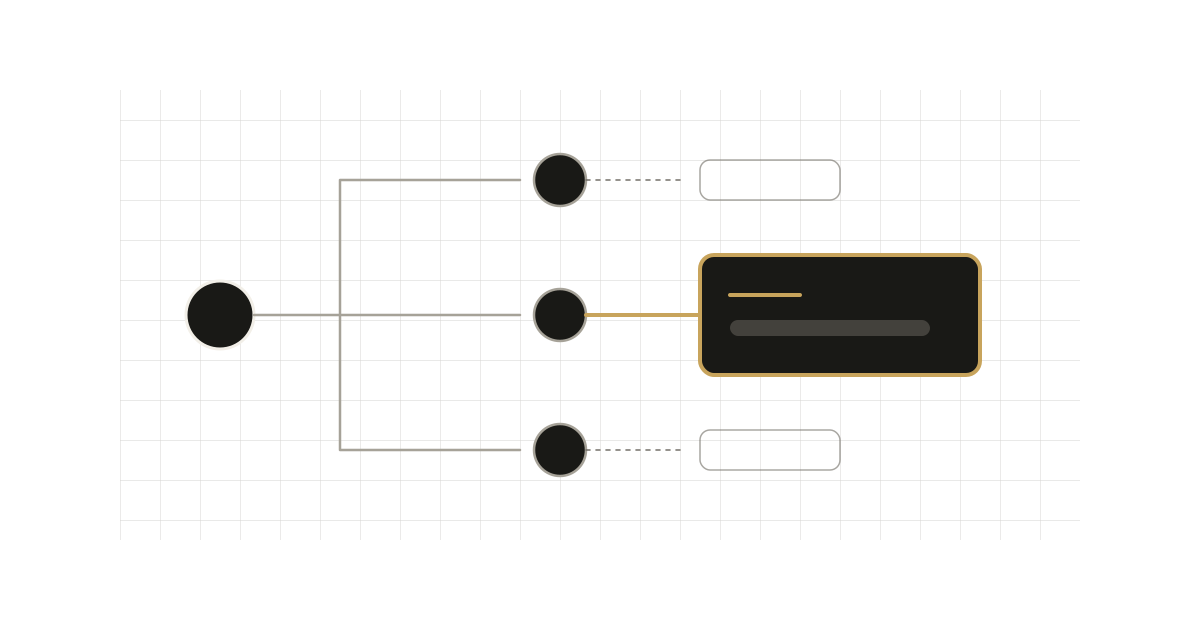
next/font is easy enough that most teams stop reading the docs after the first example. The result is a common drift: the same Inter() call pasted into three components, a monospace font loaded in the root layout for the one page that shows code, and preload left at its default for fonts nobody sees above the fold. None of it breaks, and all of it costs bytes and early requests.
The docs state two rules that explain most of this. Both are easy to miss.
The two rules
First, a font function call is an instance. The Font Module reference says that every time you call localFont or a Google font function, that font is hosted as one instance in your application. If you need the same font in several places, load it once and import the resulting object.
Second, the file where you call it sets the preload scope. Per the same page, a font is not preloaded globally. A call in a unique page preloads on that page's route. A call in a layout preloads on every route that layout wraps. A call in the root layout preloads on all routes. The getting started guide adds that fonts are scoped to the component they are used in, and that to apply one to the whole app you add it to the root layout.
The problematic pattern
// app/layout.tsx
import { Inter, Roboto_Mono } from "next/font/google";

const inter = Inter({ subsets: ["latin"], variable: "--font-inter" });
// Only /docs/** shows code, but this runs for every route.
const mono = Roboto_Mono({ subsets: ["latin"], variable: "--font-mono" });

export default function RootLayout({ children }: { children: React.ReactNode }) {
    return (
        <html lang="en" className={`${inter.variable} ${mono.variable}`}>
            <body>{children}</body>
        </html>
    );
}
// app/docs/code-block.tsx
import { Inter } from "next/font/google";

// A second Inter() call: a second instance of the same font.
const inter = Inter({ subsets: ["latin"] });
Two things are wrong. The monospace font is called in the root layout, so by the scoping rule above it is preloaded on every route, including the marketing pages that never render it. And the duplicate Inter() call in a component creates another instance instead of reusing the one you already have.
The improved pattern
Put every definition in one module, then import the object where it is needed. The docs call this a font definitions file.
// app/fonts.ts
import { Inter, Roboto_Mono } from "next/font/google";

export const inter = Inter({
    subsets: ["latin"],
    variable: "--font-inter",
    display: "swap",
});

export const mono = Roboto_Mono({
    subsets: ["latin"],
    variable: "--font-mono",
    display: "swap",
});
// app/layout.tsx: only the body font is global
import { inter } from "./fonts";

export default function RootLayout({ children }: { children: React.ReactNode }) {
    return (
        <html lang="en" className={inter.variable}>
            <body>{children}</body>
        </html>
    );
}
// app/docs/layout.tsx: mono is applied here, so it is preloaded for this subtree
import { mono } from "../fonts";

export default function DocsLayout({ children }: { children: React.ReactNode }) {
    return <div className={mono.variable}>{children}</div>;
}
The docs describe this exact approach for multiple fonts: export the font from a utility module and apply its className where needed, which ensures the font is preloaded only when it is rendered. The module is only a definition. The preload scope follows where you apply the object in the tree.
A caveat on my reading here: the docs state the scope rule per file type (page, layout, root layout) and the "preloaded only when rendered" behaviour for the shared-module approach. They don't spell out what happens when a module imported by the root layout defines fonts that the root layout does not use. Keep unused definitions out of the module graph you import from the root, or verify the preload tags in your own build output.
Wiring it to Tailwind
If you use Tailwind CSS, the variable approach composes cleanly. The docs show mapping the CSS variables in an inline theme:
@import "tailwindcss";

@theme inline {
    --font-sans: var(--font-inter);
    --font-mono: var(--font-mono);
}
Mind the naming: in the docs' example the next/font variables are --font-inter and --font-roboto-mono, and the theme tokens are --font-sans and --font-mono. If you give the next/font variable the same name as the theme token it maps to, you create a self-reference. Keep the two namespaces distinct, for example --font-mono-face for the loader and --font-mono for the token.
Options worth setting deliberately
All of these come from the Font Module reference:
preloaddefaults totrue, and it applies to every file a call loads, because they form a single group of@font-facerules under onefont-family. For a decorative or below-the-fold face,preload: falseremoves the early request.subsetscontrols which subsets are preloaded. Withpreloadtrue and no subsets specified, you get a warning.displaydefaults to'swap'.'optional'is also accepted, which trades guaranteed font swap for fewer layout changes.adjustFontFallbackdefaults totruefor Google fonts and'Arial'for local fonts. It exists to reduce CLS, so turn it off only with a reason.weightis required for non-variable fonts. The docs recommend variable fonts for the best performance and flexibility, and note that a variable Google font needs no weight.- Fewer fonts. The docs recommend using multiple fonts conservatively, since each one is another resource the client downloads.
Trade-offs
Scoping a font to a subtree means pages outside it fall back to whatever fallback or the automatic fallback gives them. That is the point, but check that no shared component (a footer, a toast) quietly depends on the scoped font.
Layout-level scoping also ties preloading to your route structure. Move a page out of the docs layout and it silently loses its preload. A comment next to the definition is cheap insurance.
When the original pattern is fine
A single font family for the whole site, called once in the root layout, is the intended shape and needs nothing more. The same goes for a design where every route really uses both the text and the mono face above the fold: there, root-level preload is correct. This tip applies once a font serves only part of the site, or the same call starts appearing in more than one file.